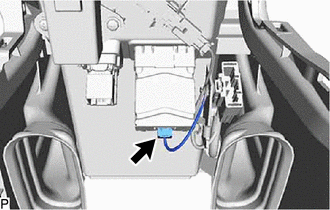
Components
COMPONENTS
ILLUSTRATION
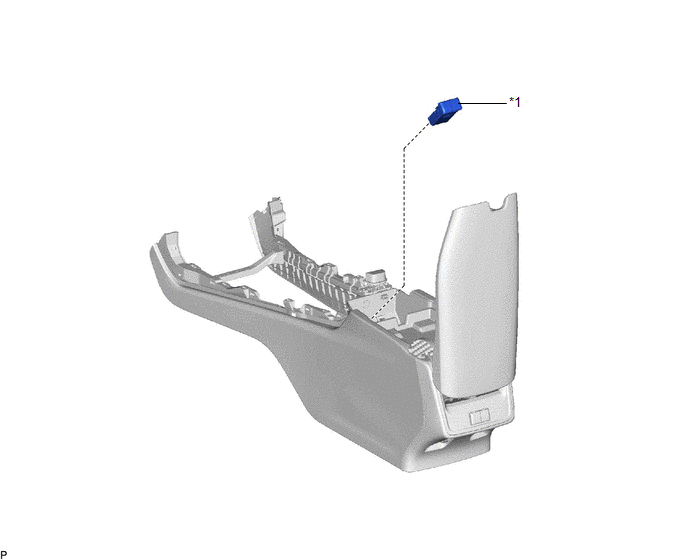
|
*1 | USB CHARGER SOCKET |
- | - |
Installation
INSTALLATION
PROCEDURE
1. INSTALL USB CHARGER SOCKET
(a) Engage the 4 claws to install the USB charger socket as shown in the illustration.
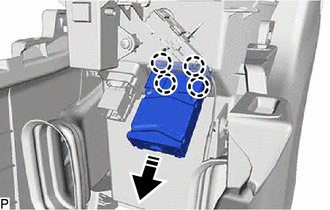
 | Install in this Direction |
(b) Connect the connector.
2. INSTALL CONSOLE BOX ASSEMBLY
Click here

Removal
REMOVAL
PROCEDURE
1. REMOVE CONSOLE BOX ASSEMBLY
Click here

2. REMOVE USB CHARGER SOCKET
| (a) Disconnect the connector. |
|
(b) Disengage the 4 claws and remove the USB charger socket as shown in the illustration.
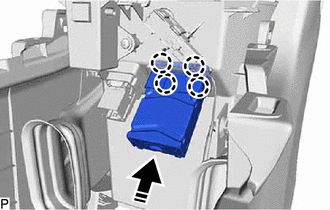
 |
Remove in this Direction |
Toyota Avalon (XX50) 2019-2022 Service & Repair Manual > Airbag System(for Gasoline Model): Front Airbag Sensor Lost Communication (LH) (B1617,B1618). Curtain Shield Airbag Sensor (RH) (B1630). Curtain Shield Airbag Sensor Lost Communication (RH) (B1632,B1633)
Front Airbag Sensor Lost Communication (LH) (B1617,B1618) DESCRIPTION The front airbag sensor LH circuit consists of the airbag ECU assembly and front airbag sensor LH. The front airbag sensor LH detects impacts to the vehicle and sends signals to the airbag ECU assembly to determine if the airbags ...