Components
COMPONENTS
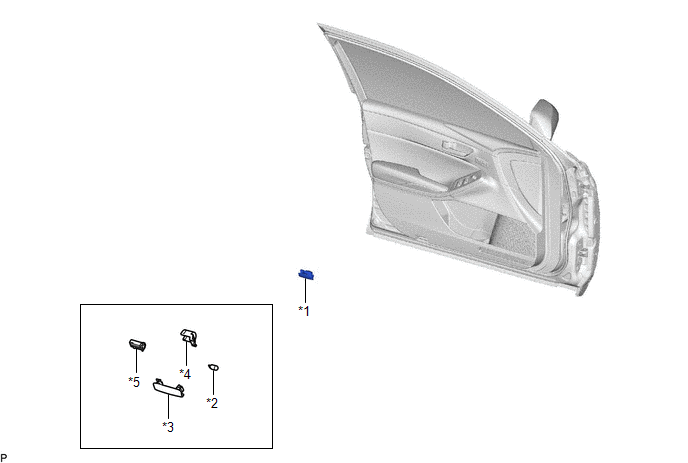
ILLUSTRATION
|
*1 | COURTESY LIGHT ASSEMBLY |
*2 | COURTESY LIGHT BULB |
|
*3 | COURTESY LIGHT LENS |
*4 | COURTESY LIGHT COVER |
|
*5 | COURTESY LIGHT HOUSING |
- | - |
Inspection
INSPECTION
PROCEDURE
1. INSPECT COURTESY LIGHT ASSEMBLY
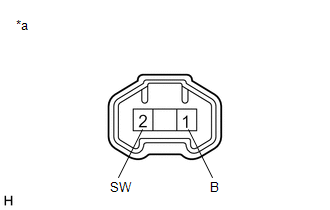
|
*a | Component without harness connected (Courtesy Light Assembly) |
(a) Apply auxiliary battery voltage to the courtesy light assembly and check that the light illuminates.
OK:
|
Measurement Condition | Specified Condition |
|---|---|
|
Auxiliary battery positive (+) → 1 (B) Auxiliary battery negative (-) → 2 (SW) |
Door Courtesy light illuminates |
If the result is not as specified, replace the bulb or courtesy light assembly.
Installation
INSTALLATION
CAUTION / NOTICE / HINT
HINT:
PROCEDURE
1. INSTALL COURTESY LIGHT BULB
(a) Install the courtesy light bulb to the courtesy light housing as shown in the illustration.
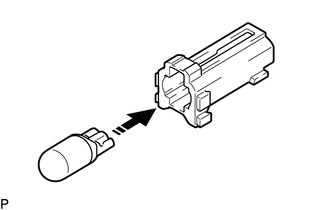
 |
Install in this Direction |
(b) Install the courtesy light cover to the courtesy light housing as shown in the illustration.
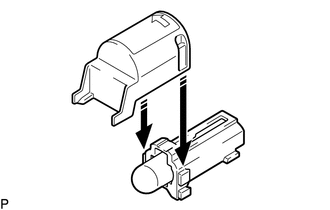
|
|
Install in this Direction |
(c) Engage the claw to install the courtesy light housing with the courtesy light cover as shown in the illustration.
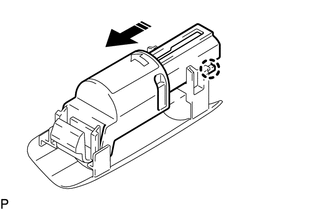
|
|
Install in this Direction |
2. INSTALL COURTESY LIGHT ASSEMBLY
(a) Connect the connector.
| (b) Engage the claw to install the courtesy light assembly. |
|
Removal
REMOVAL
CAUTION / NOTICE / HINT
HINT:
PROCEDURE
1. REMOVE COURTESY LIGHT ASSEMBLY
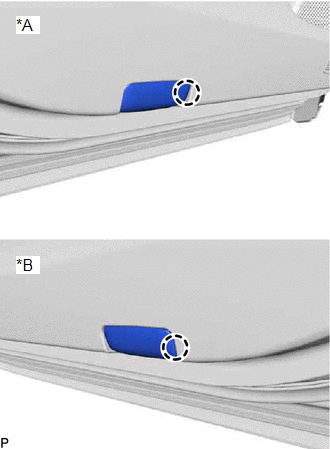
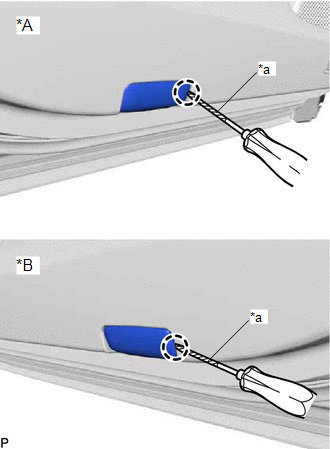
| (a) Using a screwdriver with its tip wrapped with protective tape, disengage the claw. |
|
(b) Disconnect the connector to remove the courtesy light assembly.
2. REMOVE COURTESY LIGHT BULB
(a) Using a screwdriver with its tip wrapped with protective tape, disengage the claw and remove the courtesy light housing with the courtesy light cover as shown in the illustration.
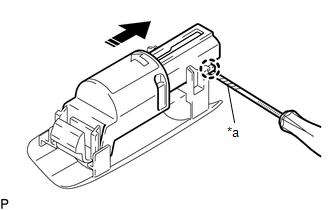
|
*a | Protective Tape |
 |
Remove in this Direction |
(b) Remove the courtesy light cover from the courtesy light housing as shown in the illustration.
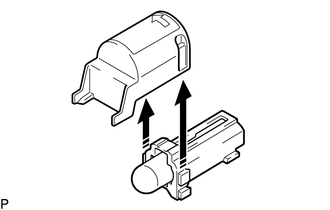
|
| Remove in this Direction |
(c) Remove the courtesy light bulb from the courtesy light housing as shown in the illustration.
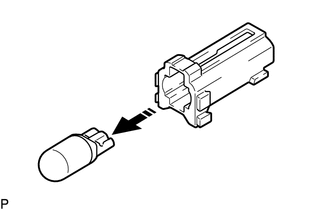
|
| Remove in this Direction |
Toyota Avalon (XX50) 2019-2022 Service & Repair Manual > Sfi System: MIL Circuit. Radiator Coolant Temperature Sensor Circuit Short to Ground (P00B111). Radiator Coolant Temperature Sensor Circuit Short to Battery or Open (P00B115)
MIL Circuit DESCRIPTION The Malfunction Indicator Lamp (MIL) is used to indicate vehicle malfunctions detected by the ECM. The MIL operation can be checked visually. When the power switch is first turned to on (IG), the MIL should be illuminated and should then turn off after the engine is started. ...